Posts

Bionic hand using 3D printer

        3D printed bionic hand on display at college expo . All designed and developed by Alan.            
Completed the Drone Build---- Alan This drone was fully designed and developed by my nephew Alan .   He has  fully automated landing and takeoff operations.    Next we would like to do a plane using RCPowers design. . 

Drone Build

Image
Drone Build I got this drone built by my nephew.  we bought all the items and assembled it , now we are planning to do some programming using raspberry pi . The plan is to make a big drone which can carry heavy weights from location A to location B and control it programmatically with out a RC Controller .    

Robotic idea for open space litter cleaning

      After multiple iterations we have finalized this video for robotic open space litter cleaning . I believe this will be use full for countries that does not have good garbage littering enforcement.   We are in the process of creating a good simulation environment before going for the prototype stage.

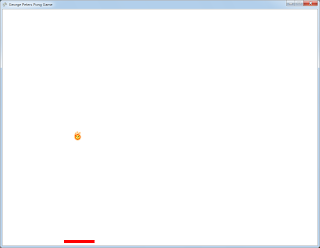
My First XNA4.0 Game

Image
During the Christmas holidays of 2012 i spent my time creating this simple PONG game . Its too simple a game but it tought me valuable managed gaming programming using XNA 4.0.   I love to do more 2D games. Adding a second 2D game using XNA . This is a Alian shooter game with sound and explosions
Phidget is connected to the PC and controlled through USB. I used a interface kit provided by Phidget to switch on and off a LED light . This is a simple hello world kind of exercise but it opens up lots of possiblitites in home automation  
Image
I started building a RC Plane using the RCPowers.com design. Spent a lot of time and money and atlast the propeller started running smoothly . still i have tons of problems to be solved before my plane starts flying . Here are some sanps   Getting all the parts and making the entire piece work is quite a challenge . Any how now that the peopeller is working i can think of completing this project soon.  

Simulated Robot in a retail store

The idea was to create a robot that can be used by a store manager in a store to talk to team members remotely. I have been thinking of creating a completely new environment other than the one provided by microsoft robotics. I tried my best to create this new simulated environment and simulated robot from scratch , i used google sketchup for 3d mesh.

Navigation using object recognition

I integrated MSRS with RoboRealm and used the Navigation(AVM) module of RoboRealm . This module uses Associative Video Memory logic to recognize a image . The steps for integration of RoboRealm with MSRS R3 is available in the RoboRealm site. The object recognition is perfect and it also provides object tracking so that i can make my robot follow the object . In this video i trained the Navigation module using a picture and the i made the robot follow the picture. All these days i have been trying to do a sample with image recognition but all my attends were not very fruitful, now i feel we can do lots of wonderful object recognition with AVM module . RoboRealm looks very promising for object recognition . I would like to recommend this module for any one who wants to do navigation using object recognition

Intelligent navigation of robot inside a retail store

I have created a simple retail store in MSRS. This could have been created using any 3D tools like blender which gives a good visual treat. My simulation may not be of good quality but the idea is to demonstrate the use of RFID and other sensors to navigate accurately inside a retail store . The development of instore navigation becomes easy with Microsoft Simulation Environment. I have made use of RFID, Color ,Sonar and Compass sensors to make the robot travel in the northern directiion on the line. Further more i can improve the navigation using webcam image processing too. Currently the robot recognizes the line using three color sensor and it uses a compass to understand the direction to travel. It uses RFID to identify the aisle. The sonor sensor is used to identify a object and stop with out hitting the object. I would like you guys to give me some idea as to how we can use this protoyping knowledge and add value to the retailers.

Traxster using Microsoft Robotics Studio software

Traxster from Robotics connection with serializer using Microsoft Robotics Studio. The Xbox controller's receiver is connected to the computer by USB and the computer communicates with the robot using a bluetooth connection.

Robot and Sound simultaneous operation

Lego Nxt with Microsoft Robotics Studio . Here iam using a mic which is wired to the PC. The sound signal is picked up by MRDS and the command is fired to the robot through a serial connection(bluetooth)

My Robotic Vision